
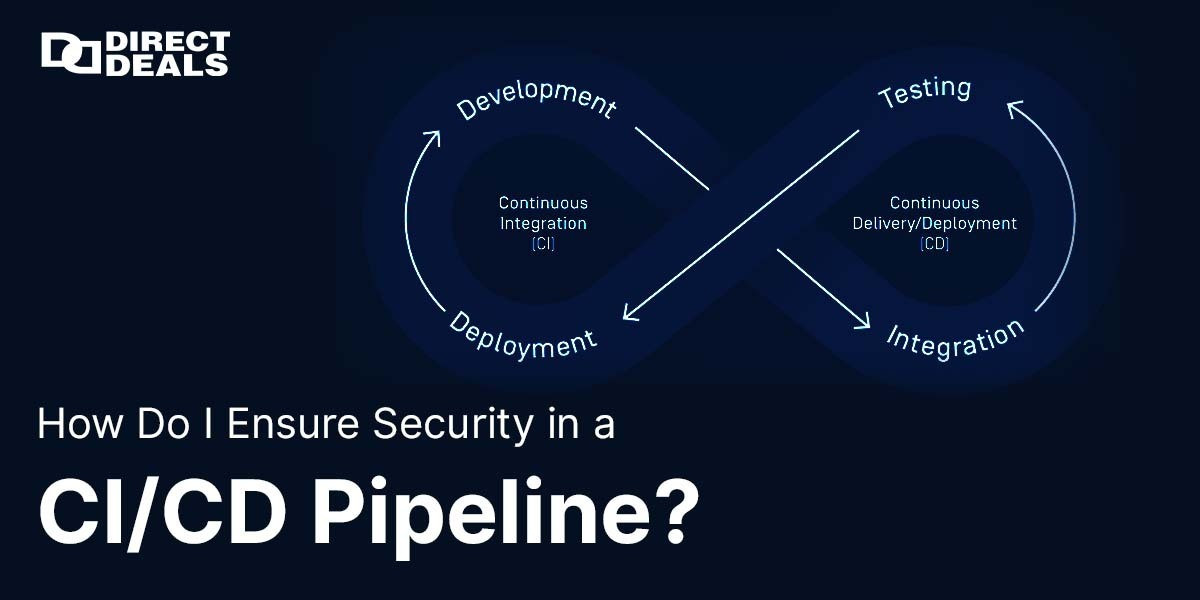
In the rapidly evolving world of DevOps and cloud-native applications, CI/CD pipelines (Continuous Integration and Continuous Deployment) have become the heartbeat of modern software development. These pipelines help teams deliver updates faster, improve collaboration, automate testing, and ultimately deliver better user experiences. But with these advantages comes an equally critical challenge: security.
If you're pushing code to production without proper security controls, you might be exposing your infrastructure, customer data, and brand reputation to severe risks. This makes the question more important than ever:
How do I ensure security in a CI/CD pipeline?
With DirectDeals.com, backed by 27+years of trust, we’ve helped thousands of businesses secure their software lifecycles, reduce vulnerabilities, and maintain licensing compliance. Let's explore how you can make your CI/CD pipelines secure, scalable, and resilient.
Why Is CI/CD Security So Important?
A CI/CD pipeline isn’t just a tool it’s a series of connected systems and processes. Each stage (from coding, testing, staging to deployment) touches various environments, APIs, servers, and cloud services. If left unguarded, these become entry points for:
- Code tampering
- Credential leakage
- Dependency injection attacks
- Malware insertion
- Unauthorized deployments
In short, your CI/CD pipeline could be an attacker’s fastest route to your production systems.
Key Strategies to Secure Your CI/CD Pipeline
Let’s look at industry-approved best practices that every DevOps team should follow:
1. Implement Least Privilege Access
One of the most fundamental principles in security is “least privilege.” This means giving users and systems the minimum level of access necessary to perform their jobs.
For your CI/CD:
- Use role-based access control (RBAC).
- Limit credentials for services like GitHub, Jenkins, GitLab, or CircleCI.
- Avoid using shared credentials or admin-level access unnecessarily.
2. Secure Your Secrets and Credentials
Secrets such as API tokens, SSH keys, passwords, and certificates should never be hardcoded or stored in version control.
Use tools like:
- HashiCorp Vault
- AWS Secrets Manager
- Azure Key Vault
- GitHub Actions Encrypted Secrets
These tools encrypt your secrets and allow secure access only at runtime.
3. Shift Left with Security Testing
Shifting security to the left means integrating security checks earlier in the development process rather than treating it as an afterthought.
Include tools in your pipeline like:
- Static Application Security Testing (SAST) for code review.
- Dynamic Application Security Testing (DAST) for runtime vulnerability detection.
- Software Composition Analysis (SCA) to detect known vulnerabilities in open-source libraries.
Popular tools include SonarQube, OWASP ZAP, Snyk, and Veracode.
4. Digitally Sign and Validate Artifacts
Code signing helps verify that the software you’re deploying has not been altered. You can sign build artifacts or Docker containers to ensure they haven’t been tampered with in transit.
Combine this with checksums and hashing (SHA-256) to verify file integrity at each stage.
5. Maintain Full Audit Logs
Logging isn't just about debugging it’s a critical security layer. Make sure your CI/CD tools:
- Log every action taken (build, commit, merge, deploy).
- Track user identities and IP addresses.
- Integrate with SIEM (Security Information and Event Management) tools like Splunk or ELK stack for real-time alerts.
6. Isolate Environments and Resources
Separate your build, test, staging, and production environments. This prevents lateral movement if one environment is compromised.
Use containerization and virtualization to ensure environment parity and isolation tools like Docker, Kubernetes, and AWS ECS make this easier.
7. Automate Dependency Management
Outdated or vulnerable third-party packages are among the most common attack vectors.
Use automation tools like:
- Dependabot
- Renovate
- npm audit
To:
- Scan for known CVEs.
- Auto-update outdated libraries.
- Alert your team of high-risk issues in real-time.
8. Secure Your CI/CD Toolchain
Security doesn’t stop at the pipeline it includes the tools you use. Make sure:
- Jenkins, GitHub Actions, or GitLab are always updated.
- Plugins and integrations are vetted and come from trusted sources.
- Your infrastructure-as-code (Terraform, Ansible, etc.) follows secure configurations.
Why Choose DirectDeals for Secure Software Solutions?
At DirectDeals.com, we understand that security is more than just a feature it's a commitment to trust, reliability, and performance. With 27+years of industry leadership, we’ve partnered with enterprises, IT professionals, and software developers to offer:
- Genuine Microsoft and enterprise software licenses
- Security solutions for DevOps pipelines
- Expert consultation on cloud deployment and licensing
- Competitive prices and long-term support
Our real people, real support approach means you’re never left alone when it comes to complex software deployments or compliance audits.
Get in Touch with DirectDeals
Ready to secure your CI/CD pipeline with proven tools and trusted advice?
Phone: +1-800-983-2471
Email: support@directdeals.com
Website: www.directdeals.com
Let our experts help you secure every step from code commit to production release.
Final Thoughts
In the DevOps era, where automation and agility are key, security must be baked into every layer of the CI/CD pipeline not bolted on later.
By following the best practices outlined above and leveraging licensed, secure, and supported solutions from DirectDeals, you can confidently build and release software without fear of vulnerabilities or compliance issues.
Don't wait for a breach to act Start securing your CI/CD pipeline today.